Airbnb Welcome Signs Guests Actually Read (Where They Go)
Airbnb welcome signs work when they sit where the guest stands: which of the 62 signs to hang, at what size, and what stays in the reservation.
By Airbnb Host Bundle by Cosmo Suite · Editorial policy
Published · 10 min read
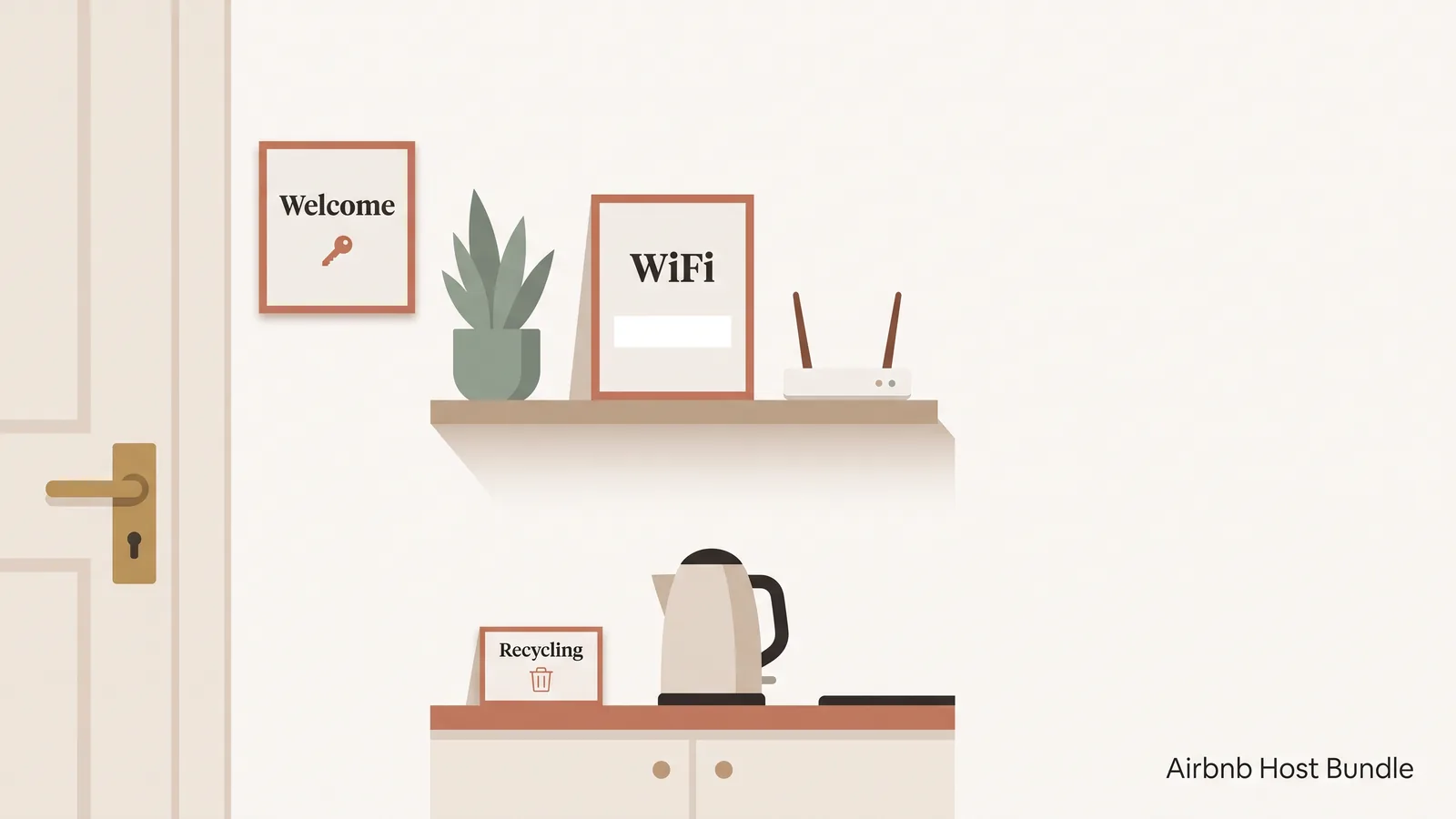
An Airbnb welcome sign works when it hangs where the guest is standing at the moment the question arrives. That is a stricter test than most hosts apply when they order a matching set. A WiFi card taped to the router gets read, while the same card in a hallway frame does not, and the design is not what decides which of the two works. Guests read at the moment of need and not before, so placement carries the whole job.
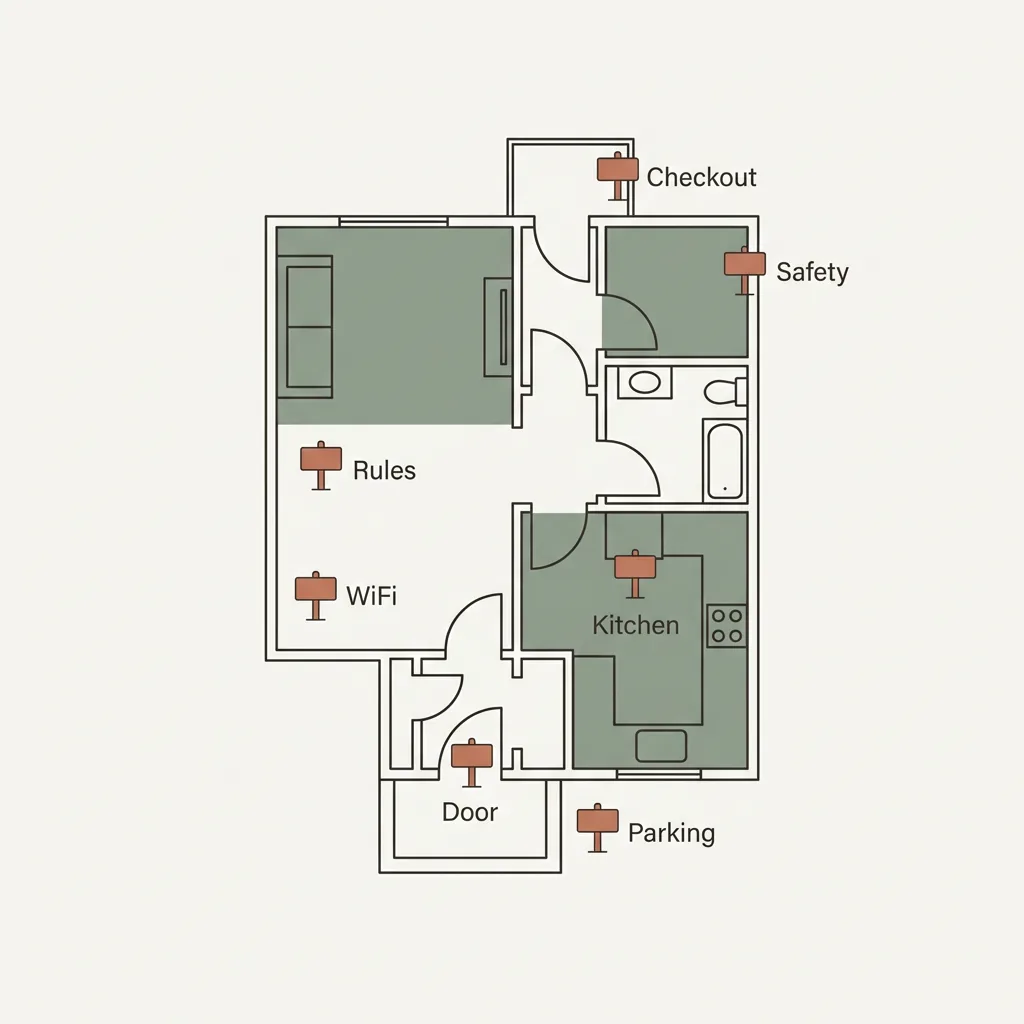
The editable Airbnb sign set this site sells ships 62 signs in four sizes, and most hosts need four to six of them on a wall. This guide sorts the signs by the moment they answer and gives the size that suits each spot. It also applies one rule that keeps a printed sign from going stale: a sign holds a fact that does not change, while anything that changes per stay stays in the reservation.
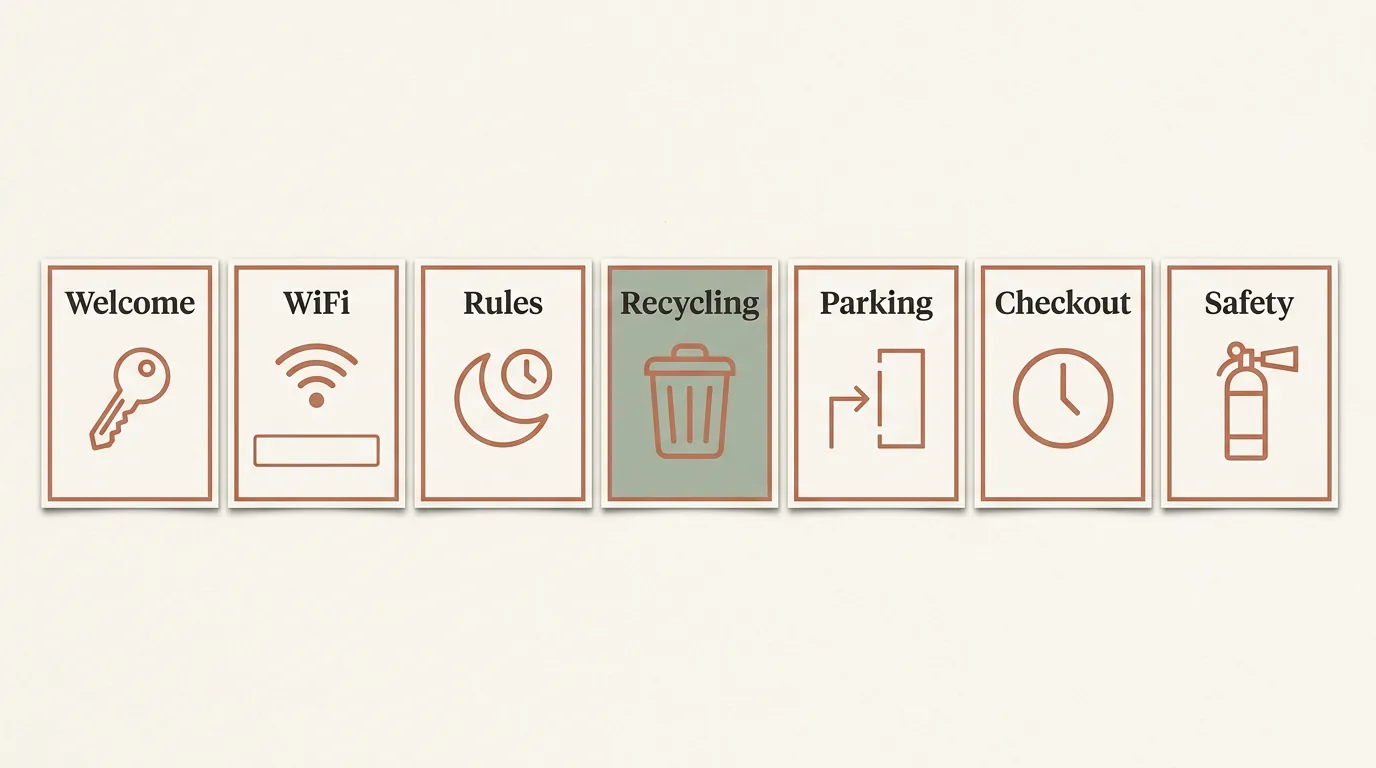
Airbnb Signs at a Glance
Match the sign to the position the guest occupies, then choose the smallest size that remains legible from that distance.
| Where the guest stands | Sign to hang | Size | What it must say |
|---|---|---|---|
| At the front door, first step | Welcome sign | A4 or US Letter | The unit name, and that they are in the right place |
| Beside the router | WiFi sign | 5x7 or 8x10 | Network name, password, and where the router is |
| Main living space | House rules and quiet hours | A4 or US Letter | The short version of the listing rules, in five lines or fewer |
| Kitchen and bathroom | Small labels | 5x7 | One action per label: which bin, which tap, which switch |
| Driveway, gate or shared hall | Parking and entrance | A4 or US Letter | Where to park, and the landmark that confirms the door |
| Near the exit | Checkout sign | A4 or US Letter | Checkout time, keys, bins, and the one thing to leave behind |
| Beside the extinguisher | Safety sign | A4 or US Letter | Where the extinguisher and the water shutoff are |
Six signs cover a two-bed unit, and a larger property with two entrances or a shared hallway may need one more at the second door. Extra signs compete with the ones that matter, so add one only when you can name the exact question it answers.
The Rule That Decides Every Sign
A sign should carry only the facts that stay the same for every guest, because the rest already live in the reservation. That split is what makes a printed sign worth the wall space.
A house sign is a printed card that answers one guest question at the exact spot where it comes up, such as the router, the bin store or the front door. It does not replace the welcome book or the listing.
A stable fact is a detail that holds for every booking in the year: the network name, where the router sits, which bin the recycling goes in, the checkout time, the walk to the beach, the quiet hours. These do not change between reservations, so a printed sign stays correct until the property itself changes.
A changing fact is a detail that belongs to one reservation: the door code, the guest's name, the dates, the late checkout they asked for. Airbnb's check-in instructions page explains that guests can see the check-in method, while the detailed instructions become visible 48 hours before check-in. That timing is why a code belongs in the reservation instead of on a sign: it stays private until the guest needs it, and it disappears when the stay ends.
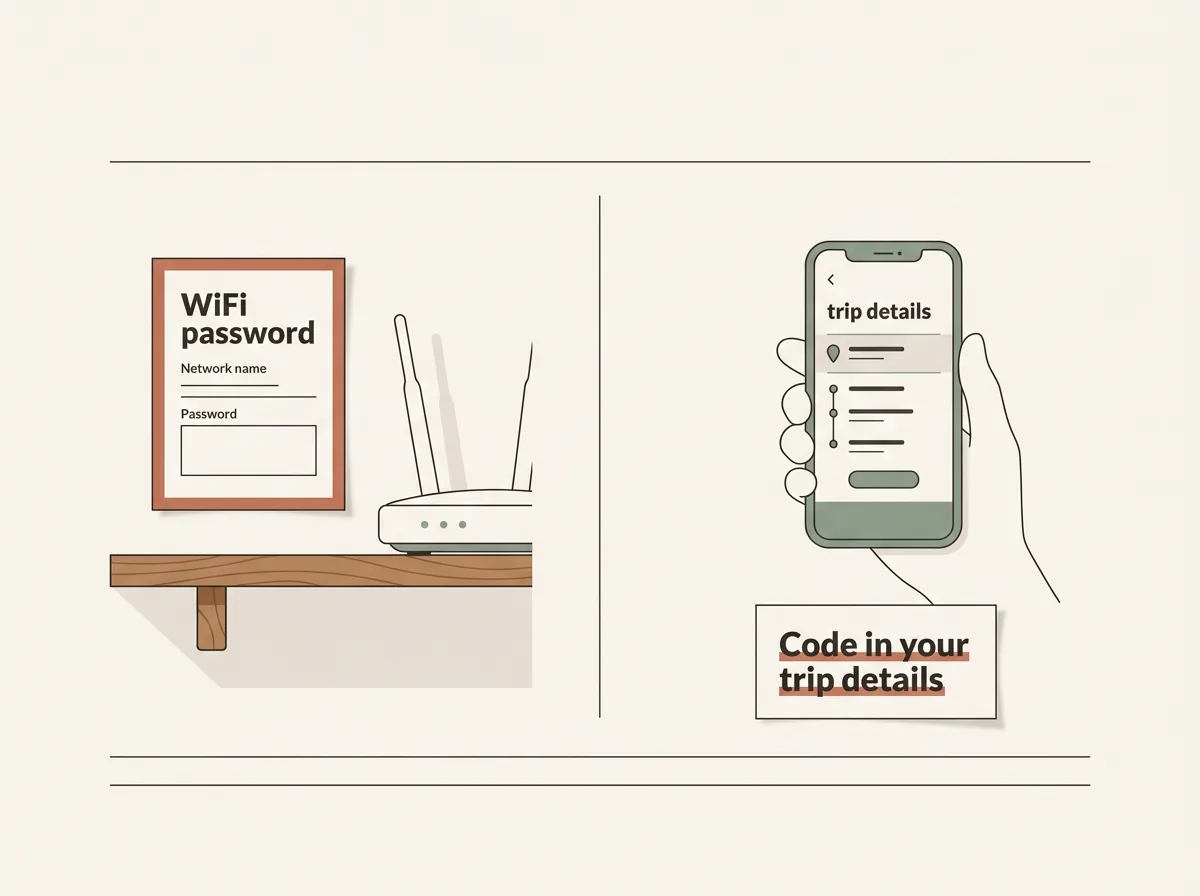
Airbnb's arrival guide guidance lists the fields a host fills in: check-in method and time, directions, house manual, WiFi password, and more. Use the platform for anything that moves between bookings, and the wall for anything that does not. A sign that points to the reservation ("Your code is in your Airbnb trip details") ages far better than a sign that repeats the code.
The one exception. A host who rotates the code after every stay can print it, because the sign is replaced along with the code. If you do not rotate, do not print, since a guest who photographs the sign then holds a key to your unit for the next booking.
Sign by Sign, From the Door Inward
Take the walk a guest takes on arrival and put one sign at each point where they would otherwise stop and message you.
Welcome sign: names the unit, not the guest
A welcome sign does one job, which is to confirm that the guest has found the right door, so leave the guest's name off it, because a printed name has to be rewritten for every stay.
Use it for: the unit name, a short greeting, and one line that tells the guest what to do next.
A basement suite in a host's own house needs this sign more than a standalone cabin, because the guest is standing in a shared driveway at night, wondering which of three doors belongs to you, and the sign answers before they ring the wrong bell. A welcome card with the guest's name on it looks warmer in a photo, but it goes stale the moment the next booking arrives. Name the unit and let the reservation carry the person.
WiFi sign: the one that earns its ink
The WiFi sign gets more use than any other sign in the unit, and it is the one most often wrong, because guests photograph it and then compare the photo against a phone that will not connect.
Use it for: the network name spelled as it appears on the phone, the password in large type, and where the router sits if the guest may need to restart it.
Leave the password in a space you can rewrite, because a router reset or a new provider changes it, and a card you cannot edit becomes a lie. Keep the sign beside the router so the guest can look at both at once. The bundle's WiFi signs are built for this, with a short line of text and a large password field instead of a paragraph.
House rules and quiet hours: the short version
The listing already holds the full rules, and Airbnb's house rules page explains that hosts add them in the listing editor and that guests see them on the listing before they book. The sign is the reminder for the guest who read the rules and forgot the two that matter.
Use it for: quiet hours, the no-party line, and one or two building rules such as where to leave shoes or which bin to use.
Keep it to five lines, because a sign with twelve rules is a poster, and guests read posters the way they read terms of service.
Kitchen and bathroom labels: a label, not a lecture
Small labels work best where a guest has to choose between two similar things, such as which bin, which tap, or which switch on a bank of three.
Use it for: one action per label, in the fewest words that remove the doubt. "Recycling" over the blue bin. "Hot" over the tap that runs hot first. "Fan switch" beside the switch that looks identical to the light switch.
A label that needs a whole sentence is a job for the house manual, so see the Airbnb house manual template for the longer instructions and keep the wall label to the decision itself.
Parking and entrance: the one guests photograph
This is the sign a guest photographs and sends to the rest of the party, so make it worth the photo.
Use it for: where to park, what not to block, and one landmark that confirms they are at the right entrance. "Park in space 4, the one under the maple. The door is the second on the left."
Airbnb's arrival guidance recommends photos or a video for steps that are hard to describe, and the same logic applies to the sign. A small diagram of the driveway beats a paragraph about it.
Checkout sign: five lines, one place
The checkout sign answers the question a guest asks at 9am on departure day, when you are already at work.
Use it for: the checkout time, where the keys go, what to do with the bins, and the one thing to leave out. Five lines, in the order the guest does them.
Do not put a fee on the sign, because Airbnb's ground rules for home guests say hosts may not charge guest fees for failing to perform specific cleaning or checkout tasks, so keep the sign to requests rather than penalties. Pair it with the Airbnb welcome book page that covers the same steps, and make the two agree.
Safety sign: where the extinguisher and shutoff are
Guests hope they never need the safety sign, and it matters most when they do.
Use it for: where the extinguisher hangs, where the water shutoff is, and the local emergency number if it differs from what the guest expects.
Ready.gov recommends a working smoke alarm on every level of the home and an escape plan practiced twice a year. The safety sign is a good place to note where the alarm is and how guests should leave (Ready.gov, checked November 21, 2026). Keep the wording to locations and one short exit line, because nobody reads instructions beside a smoking pan.
Sizes, Printing and What Holds Up
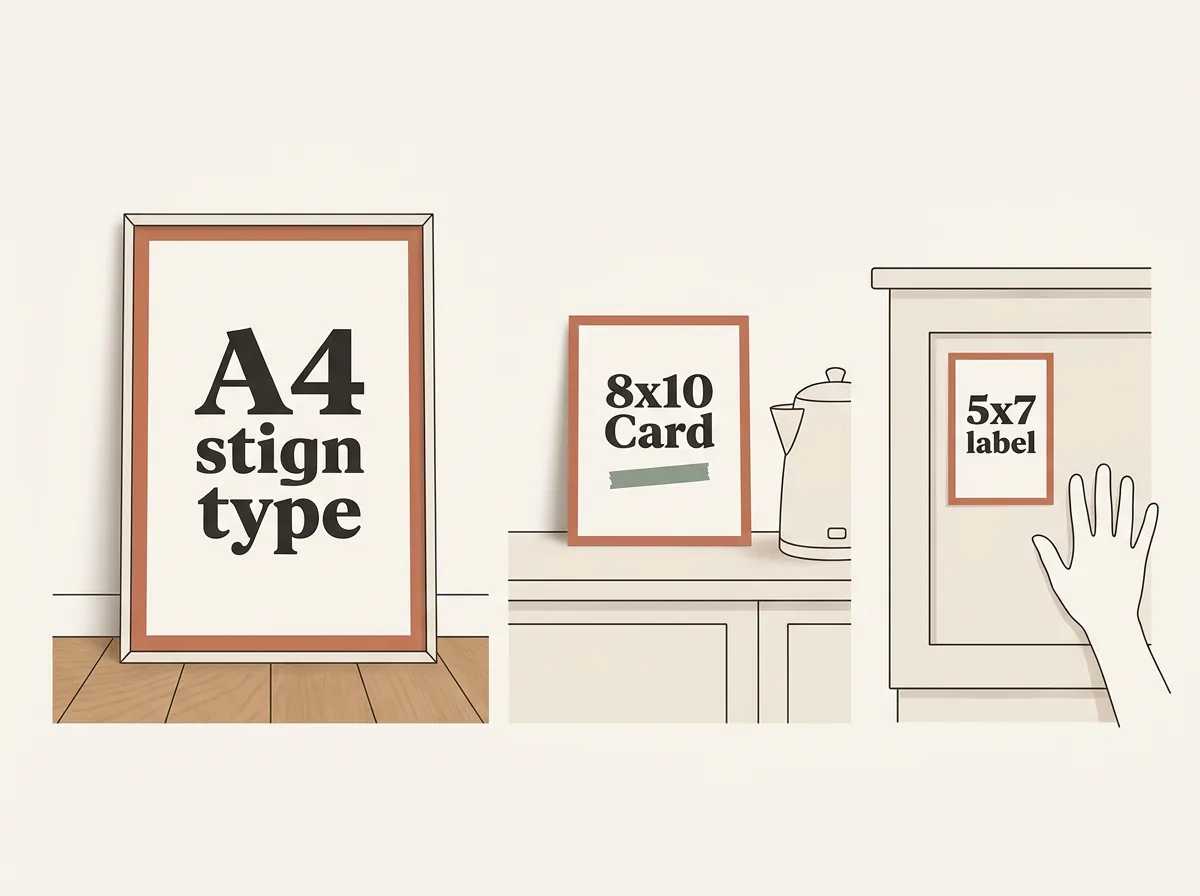
The bundle prints in A4, US Letter, 8x10 and 5x7, so pick the size by reading distance first and by the room second.
| Size | Reads from | Use it for |
|---|---|---|
| A4 / US Letter | Two to three steps away | House rules, checkout, safety, welcome |
| 8x10 | An arm's length, on a shelf or counter | WiFi beside the router, a framed welcome |
| 5x7 | Close up, on a door or cabinet | Kitchen and bathroom labels, a small reminder |
Print at full size and never scale a smaller file up to fit a bigger frame, because a 5x7 enlarged to A4 shows every soft edge. Laminate anything in a bathroom or a kitchen, where steam and splashes wreck plain paper within a season. Frame a sign in the living space if you want it to look like part of the room.
Test the ink before you hang the sign, because a printout beside a kettle fades and smudges faster than the same print in a hallway. A sign with a password on it deserves two copies: one to hang, and one kept as the master for the next router change. Avoid glass in a steamy room, because it fogs, and a fogged sign is an invisible sign.
The Mistakes That Make a Sign Invisible
Most sign failures have nothing to do with design, and these six account for most of the ones that still surprise a host.
- Too many signs. Twelve signs on one wall become wallpaper, while six well-placed signs get read and the seventh only competes with the ones that matter.
- Wording that blames the guest. "Do not leave dishes" reads as an accusation before the stay even starts, while "Dishes in the rack, please" reads as a request with the same rule behind it.
- A sign that contradicts the listing. If the sign says checkout is at 10am and the listing says 11am, the guest believes whichever one suits them and you have no case, so check every sign against the listing each season.
- A number nobody updates. A printed WiFi password, a phone number, a bin day: each one is true until it is not. Put a review date in your host copy, and check the signs whenever a router, a provider or a collection schedule changes.
- A sign nobody can see at night. Most arrivals happen after dark, so walk your own entry at 9pm with the lights a guest would find, and see whether the sign is legible from the car.
- A sign that repeats what the guest already has. If the welcome book covers the same steps, the sign should point to the book rather than copy it, because two sources of one fact drift apart and the guest finds the wrong one first.
Why Trust This Article
We are the Cosmo Suite team that made Airbnb Host Bundle, the 62-sign set described here, so we sell the product this post is about. The platform facts come from Airbnb's own Help Center and Resource Center pages, and the safety line comes from Ready.gov, each linked above and checked on 21 November 2026. Airbnb changes its tools and wording, so confirm the current fields before you edit a listing. The worked example is a two-bed downtown condo with weekend couples, stated as an example and not a measured result. Read about us for who we are, and see our editorial policy for how we source, check and correct; use the contact page if a source here has gone stale.
Where Airbnb Host Bundle Fits
A sign is easy to hang and hard to keep consistent, and the problem is rarely one sign. It is a WiFi card in one style, a checkout note in another, and a welcome book that uses a third. All three were made at different times on different evenings by the same tired host.
Airbnb Host Bundle includes 62 house signs in A4, US Letter, 8x10 and 5x7: WiFi, checkout reminders, welcome, house rules, bathroom and kitchen labels, do-not-disturb and emergency info. They are editable in free Canva, so you change the text and print at the size you chose. The same bundle carries the printable 20-page welcome book, the 19-page clickable PDF, and the cleaning and inventory checklists, so the sign, the book and the checklist share one look instead of three.
What the bundle does not do is keep the facts current, because it is a set of layouts and not property software. You still check the password, the bin day and the checkout time, and you still replace a sign when the fact behind it changes. Start from the Airbnb templates overview if you want to see where signs sit alongside the rest of the guest paperwork, and use the editable host templates when you are ready to print a matching set.
Frequently asked questions
How many signs does an Airbnb really need?
Most small hosts need four to six: a welcome sign at the door, a WiFi sign at the router, a short house rules sign, a checkout sign, and one parking or entrance sign if the route is hard to find. Add a safety sign for the extinguisher and the water shutoff. Any more than that and guests stop seeing them.
Should the WiFi password go on a sign?
Yes, if the sign sits at the router or right where guests arrive. The password is stable for the listing, so a printed card does not age. Keep the network name spelled exactly as it appears on the phone, and leave a space for the password so you can rewrite it after a router reset.
Should the door code be on a sign?
Only if you change it after every stay. A printed code is a permanent record of your entry, and a photo of it outlives the reservation. Most hosts keep the code in the Airbnb Arrival guide, which guests see 48 hours before check-in, and put the instructions for finding the lock on the sign instead.
What size should Airbnb signs be?
A4 or US Letter for anything a guest has to read at arm's length: house rules, checkout, safety. Use 8x10 or 5x7 for a label beside a router, a switch or a tap. The size matters less than the distance: text has to be readable from where the guest is standing when the question arrives.
Can I print and laminate my own Airbnb signs?
Yes. Print at full size, laminate or frame, and check the ink does not smudge near a kettle or a bathroom mirror. Laminate for rooms with steam and condensation, and use a frame where the sign needs to look like part of the decor. Review the wording each season, because a sign is only useful while it is still true.
Sources
Keep reading
Guest Paperwork
Airbnb Welcome Book: A 20-Page Layout You Can Copy and Customize
Airbnb welcome book layout in 20 pages: what goes on each page, which answers go first, and how to keep the printed and digital versions in sync.
· 8 min read
Guest Paperwork
Airbnb House Manual Template: How Every Appliance Works, One Page at a Time
Airbnb house manual template for heating, WiFi, appliances, and trash: organize clear instructions by guest task, then keep the details current.
· 8 min read
Guest Paperwork
Airbnb Templates That Cover the Whole Stay (Matched to Each Guest Moment)
Airbnb templates for every moment of a stay: booking, arrival, the stay, checkout and the review, with what each one prevents and where to put it.
· 10 min read