Why Guests Ignore Airbnb Checkout Instructions (and How to Fix It)
Airbnb checkout instructions get ignored when they run long and arrive once. Here's a 5-line card, where to put it, and when to send the reminder.
By Airbnb Host Bundle by Cosmo Suite · Editorial policy
Published · 9 min read
Guests ignore Airbnb checkout instructions for two reasons: the list is too long, and it arrives once, days before checkout morning. The solution: cut it to five lines and repeat them in three places. Use a card by the door, a page in the welcome book and a message the day before.
Now picture 10:40am on checkout day. The guest is zipping a suitcase, their taxi is waiting outside, and they glance at the door. Whatever is printed there in large type usually gets done. Meanwhile, line 11 of a message they opened last Tuesday rarely does. So put the essential tasks on a short printable checkout sign for the front door instead of adding another paragraph to the message.
Key takeaways:
- A checkout list longer than five lines gets skimmed, and the keys and the trash are usually what guests miss.
- Airbnb's ground rules say hosts may not charge guests fees for skipping specific cleaning or checkout tasks.
- The same five lines belong on the door, in the welcome book and in a scheduled message, with identical wording.
- Everything else moves to your cleaner's turnover checklist, where a professional completes it.
Checkout Instructions at a Glance
Airbnb checkout instructions are the short list of tasks you ask a guest to complete before departure: the checkout time, the key return and a few quick jobs. The solution is the same information divided by moment, instead of one long list delivered once.
| Version | Where and when | Length | Best for |
|---|---|---|---|
| Checkout card | Framed sign by the front door, seen on the way out | 5 lines | The tasks you most need done |
| Welcome book page | Last pages of the book, read the evening before | 5 lines, same words | Guests who plan ahead |
| Checkout reminder | Scheduled Airbnb message, the day before checkout | 4-6 lines | The time, keys, and late checkout ask |
| Cleaner's checklist | Clipboard or Google Sheets, at turnover | As long as it needs | Everything you cut from the guest list |
The final row does most of the work; in fact, a long guest checkout list is usually a cleaning checklist addressed to the wrong audience.
Why Long Checkout Lists Fail
A 15-line checkout list fails because every instruction competes with every other instruction. The guest reads the first four, skims the remaining instructions and misses the two that mattered: the keys and the trash. Checkout instructions are usually read in a hurry, on the way out, with luggage in hand.
Airbnb's own policy points the same direction. Airbnb's ground rules for guests say hosts "may not charge guest fees for failing to perform specific cleaning or checkout tasks". However, hosts may still leave ratings and reviews based on cleanliness.
Similarly, the same page sets two firm expectations. Guests shouldn't leave the listing in a state that needs "excessive or deep cleaning". They should also complete checkout, "including key return", by the time on the reservation. And if a guest breaks your additional house rules, the ground rules page says you can contact Airbnb's support for next steps.
In other words, you can reasonably expect the keys back on time and no unusual mess. You can't charge a fee because a guest ignored "start the dishwasher and strip the beds". As a result, a list that requests only quick, reasonable tasks gives guests less to skip.
The 5-Line Checkout Card
A checkout card is one printed sign containing only the five lines. Five lines is a limit that forces you to prioritize, so here's a version you can copy and edit.
- Checkout is by 11am. Need longer? Message us by 8pm the night before.
- Keys back in the lockbox, door locked behind you.
- Lights, heating and AC off.
- Trash and recycling in the outdoor bins by the side gate.
- Used towels in the bathtub. That's all. Thank you for staying.
Notice what's missing, specifically: stripping beds, washing dishes, sweeping, wiping the refrigerator. Each of those is a 5-15 minute job your cleaner completes more efficiently anyway.
Line 1, Checkout Time: First, Bold, With a Late-Checkout Option
Put the time at the top, in bold, in every location it appears. Then explain how to request a late checkout. In particular, many "late checkout" problems involve a guest who didn't know the time, or didn't realize they could ask.
Use it for: the opening line of the checkout card, the welcome book and the scheduled message.
Line 2, Key Return: The One Task Guests Can't Skip
A forgotten key creates a lockout. On a unit with a self-locking door, a key left on the counter locks out your next guest. Therefore, specify exactly where the key goes ("back in the lockbox, code unchanged") and remind guests to lock the door.
Use it for: every checkout, no exceptions.
Lines 3-5, Quick Favors: Under Two Minutes Combined
Lights off, trash outside, towels in one location. Each task takes seconds; consequently, together they save your cleaner valuable minutes on a tight turnover.
Use it for: the tasks that make the biggest difference with the smallest request.
Which Checkout Tasks Airbnb's Rules Back Up
[Original data] We wrote a sample 14-line checkout list. Then we sorted each instruction against Airbnb's ground rules for guests. Only 2 of the 14 lines match an expectation the rules state outright. The other 12 are requests.
| Task on the long list | What Airbnb's ground rules say | Keep it on the guest card? |
|---|---|---|
| Check out by the stated time | Expected, "including key return" | Yes, line 1 |
| Return the keys | Expected by checkout time | Yes, line 2 |
| Lights and heating off | Not covered | Yes, it takes seconds |
| Trash to the outdoor bins | Not covered | Yes, it takes a minute |
| Towels in one place | Not covered | Yes, it takes a minute |
| Strip the beds | No fee allowed for skipping it | No, cleaner's list |
| Run the dishwasher | No fee allowed for skipping it | No, cleaner's list |
| Wipe the fridge, sweep, vacuum | No fee allowed for skipping it | No, cleaner's list |
| 4 more lines (windows, blinds, cushions, laundry) | No fee allowed for skipping it | No, cleaner's list |
So the five-line card keeps both expectations the rules support, plus three quick favors. Everything else belongs to your cleaner.
Where the Checkout Card Goes: Door, Welcome Book and Message
The same five lines appear in three locations, with identical wording.
The Front Door: Where Guests Make the Final Decision
Use a framed sign at eye level. Position it beside the front door, or on the inside of the door itself. This is the version guests notice with their luggage in hand. By contrast, a sign on the refrigerator or inside a drawer misses that moment entirely.
Use it for: the checkout card in large lettering, with nothing else competing on the sign.
The Welcome Book: For the Evening Before
The checkout page belongs near the back of the welcome book. Guests usually read that section on their final evening. Our layout for a 20-page Airbnb welcome book puts it on page 18, right before the thank-you page.
Use it for: the identical five lines, plus a personal thank-you.
The Scheduled Message: The Day Before
Scheduled quick replies are Airbnb messages you write once and send automatically. According to Airbnb's scheduled messages help page, triggers include "a new reservation, check-in or checkout". Airbnb's own example reads "Quick reminder that checkout is tomorrow". Set it up once, and it goes out automatically for every reservation.
One setting deserves attention: by default, Airbnb skips some scheduled messages for last-minute bookings and short stays. If you get same-day or one-night bookings, turn on the "Send for last-minute bookings and short stays" toggle described on the same help page.
Limit the message to the checkout time, the key return and the late-checkout instruction. Then add: "The rest is on the card by the door." That instruction sends the guest to the version they'll notice on the way out.
Use it for: every stay, sent automatically the day before checkout.

What to Move to Your Cleaner's Checklist
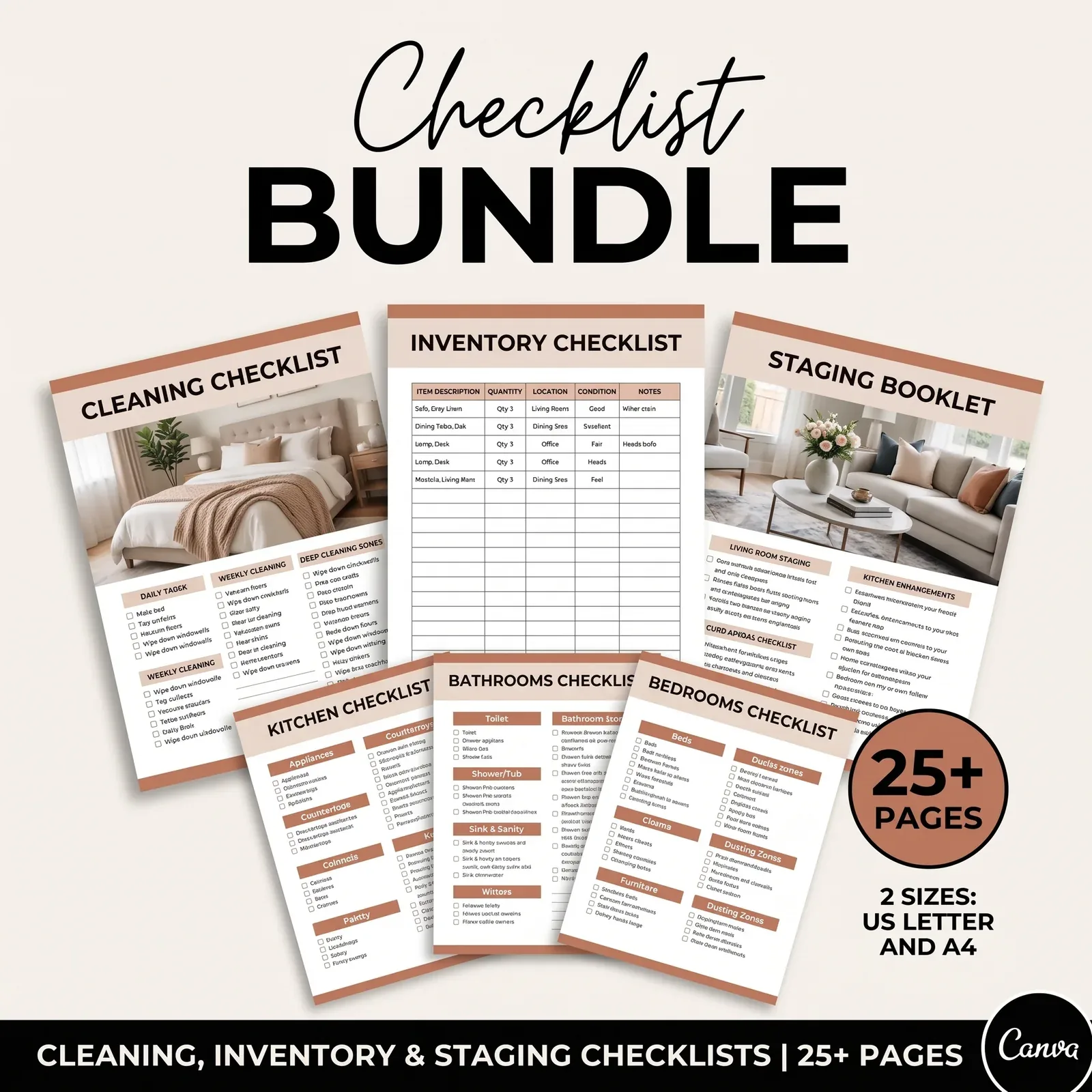
A turnover is the cleaning and preparation between two reservations. Everything you cut from the guest card goes on the turnover checklist your cleaner works from.
[Unique insight] Splitting the list by who does the work is what makes a tight turnover predictable. For example, take a same-day turnover in a 2-bed condo: 11am checkout, 3pm check-in, so a 4-hour gap. The cleaner's list covers both beds, the dishwasher, the fridge, floors, bathrooms, restocking and a final walk-through. It can run to 40 lines, because it's a work tool for someone paid to follow it.
Dividing the work this way has two benefits. First, the guest list becomes short enough to follow. Second, your turnover no longer depends on whether a guest happened to strip the beds, so the cleaner's 4 hours look identical every time.
In addition, a room-by-room checklist catches belongings guests leave behind, such as chargers, a jacket on a hook or food in the refrigerator. Add a "lost and found" line at the end that explains what to do with those items.
The Part Most Checkout Guides Leave Out
The checkout card is a review management tool more than a cleaning tool.
A short list may improve the cleanliness conversation. Imagine the guest who left dirty dishes, and the 3-star cleanliness rating that followed. Now picture the checkout message they got: 14 tasks. A guest who did six may feel they did their part, while the host sees eight undone. This is an illustration, not data: we have no statistics on how list length affects ratings. However, a five-line list leaves less room for that gap, because the guest can realistically complete everything.
Tone matters as much as content. Use "please" and "thank you" on the card, and leave out any list of penalties. In fact, a list of fines communicates distrust, and it's inconsistent with Airbnb's rules on fees anyway. A polite, pre-designed checkout reminder sign already has that tone written in.
Match every version. Suppose the card says 11am and the message says 10am. The guest will reasonably choose the later time, and you're the one who looks inconsistent. Write the five lines once and copy them into every location. Our map of Airbnb templates for each guest moment shows where else the same facts need to match.
Why Trust This Article
The Cosmo Suite team wrote this guide. We created the Airbnb Host Bundle, including the signs and checklists shown above. The policy points quote Airbnb's Help Center pages on guest ground rules and scheduled messages, checked on 3 October 2026. Our methodology for the task table appears beside it. You can read about us and the company behind this site and our editorial policy, or reach us through the contact page. However, policies change, so check Airbnb's help pages before relying on any rule.
Where the Airbnb Host Bundle Fits
Checkout trouble usually comes down to placement. The same five lines need to look professional on a door sign, a welcome book page and a message. Meanwhile, your cleaner needs a separate, complete checklist.
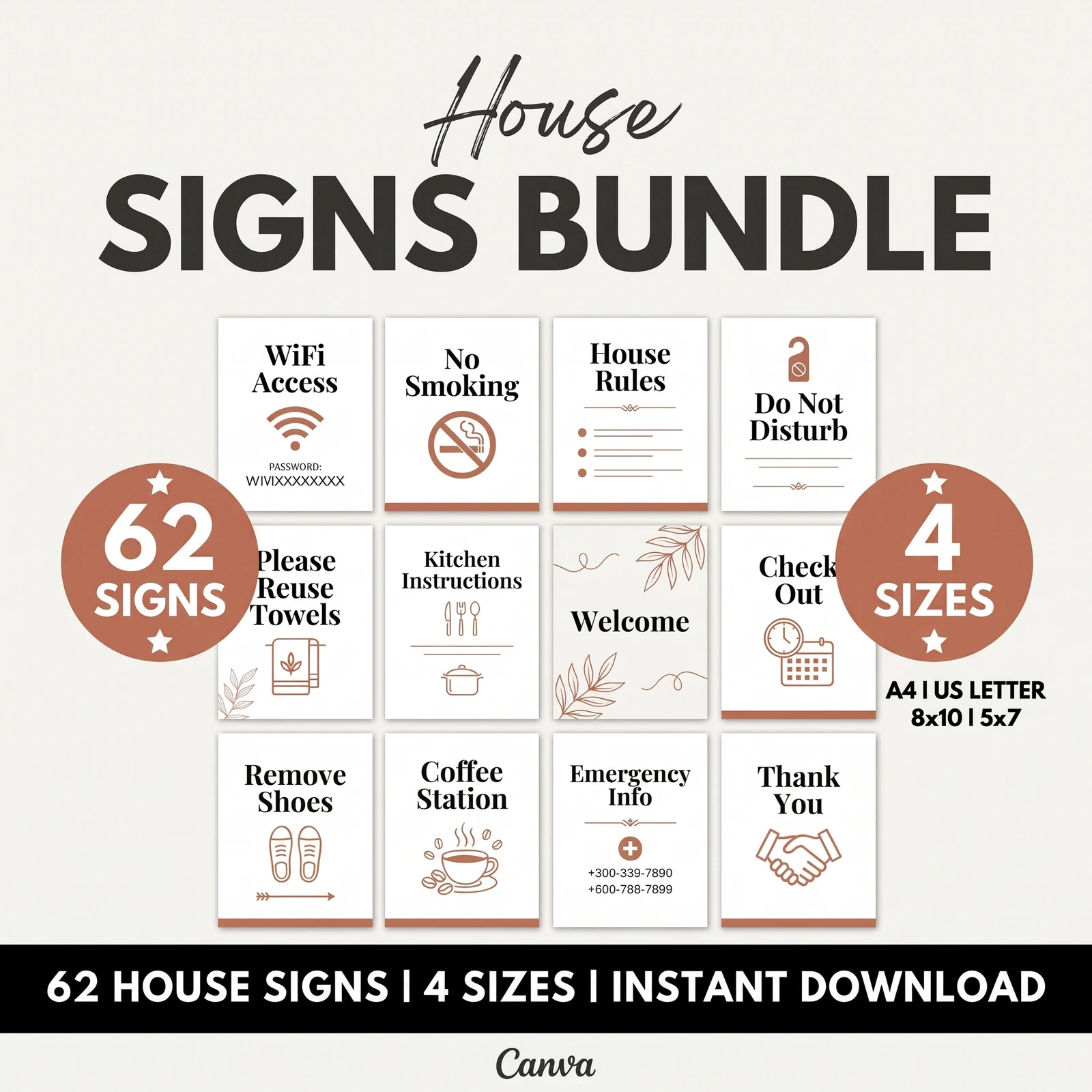
The Airbnb Host Bundle covers that set. It includes 62 house signs with checkout reminder signs, plus a 20-page printable Welcome Book and a 19-page digital welcome book. There are also 25+ pages of cleaning and inventory checklists. Everything is editable in free Canva and Google Sheets, and the sign and checklist screenshots above come from the bundle.
You still write your own five lines. The bundle provides a door sign, a welcome book page and a turnover checklist that already match each other. If you'd rather fill in templates than design them, get a matching checkout sign, welcome book page and cleaner's checklist.
Frequently asked questions
What should Airbnb checkout instructions include?
The checkout time, where the keys go, and three or four quick tasks: lights and heating off, trash in the outdoor bin, used towels in one place. That's about five lines. Anything that takes more than a couple of minutes, like stripping beds or running the dishwasher, belongs on your cleaner's checklist.
Can I fine a guest who doesn't follow checkout instructions?
No. Airbnb's ground rules for guests say hosts may not charge fees for failing to perform specific cleaning or checkout tasks. Guests still shouldn't leave the place in a state that needs excessive or deep cleaning, and you can rate and review cleanliness. Keep the list reasonable so guests follow it willingly.
When should I send the checkout reminder?
The day before checkout, ideally in the morning. Airbnb's own example scheduled message reads 'Quick reminder that checkout is tomorrow'. The guest can plan their packing around it, and the printed card by the door confirms it on the actual morning.
Should I ask guests to strip the beds?
Usually not. It saves your cleaner a few minutes, but it adds a line guests resent, and a longer list makes every other line less likely to be read. If you want help, ask for one thing: used towels and sheets in one pile. It's easier to follow and still speeds up the turnover.
How do I handle late checkouts?
Put the checkout time first and in bold on every version of your instructions, and add one line on how to ask for a late checkout. Airbnb's ground rules say guests should complete checkout, including key return, by the time on the reservation, so a clear time plus a simple way to ask covers most cases.
Sources
Keep reading

Guest Paperwork
Airbnb Templates That Cover the Whole Stay (Matched to Each Guest Moment)
Airbnb templates for every moment of a stay: booking, arrival, the stay, checkout and the review, with what each one prevents and where to put it.
· 10 min read
Guest Paperwork
Airbnb Welcome Book: A 20-Page Layout You Can Copy and Customize
Airbnb welcome book layout in 20 pages: what goes on each page, which answers go first, and how to keep the printed and digital versions in sync.
· 8 min read
Guest Paperwork
Airbnb House Rules Template: 12 Rules Guests Follow (and How to Word Them)
Airbnb house rules template with 12 rules worded as sign text, plus which ones belong in Airbnb's settings and where to post them so guests see them.
· 9 min read